Volunteer Project & Event Planner
Coordinate people, shifts, tasks, money, communications, risks, and closeout across three volunteer-project scenarios.

Volunteer Project & Event Planner
Coordinate the outcome, people, capacity, money, communication, and closeout in one practical system.
The Volunteer Project & Event Planner gives you a reusable Excel workflow for three common volunteer-led projects: a community product sale, a pet-care schedule, and a community event. You define the outcome, assign the work, check staffing, use the relevant scenario module, track funds and messages, respond to change, and close out with records you can trust.
The promise
You can move from “everyone is helping” to a visible delivery plan: one outcome, clear owners, adequate coverage, scenario-specific controls, a current next action, and a deliberate closeout.
This is for you if
You coordinate a troop, club, neighborhood group, school community, mutual-aid effort, volunteer team, family project, or small nonprofit activity and want more structure than a list—but less complexity than project-management software.
What you receive
Applied Delivery Excel workbook with 15 planning and control sheets
Active-scenario dashboard for Product-sale fundraiser, Pet care, or Community event
Separate volunteer roster, required-shift, and assignment tables
Task, dependency, funds, communications, and risk controls
Generic Community Product Sale forecast, receipt, and inventory tools
Pet-care visit schedule with duration, assignment, access, completion, and overlap checks
Community-event outcome, attendance, accessibility-planning, supply, cleanup, and closeout controls
Three fictional examples isolated from the live dashboard
Editable five-page Quick Start Guide in Word
Finished five-page Quick Start Guide in PDF
Five benefits
You see whether required shifts are actually covered—without mixing requirements and assignments.
You forecast product-sale units first, then keep sales, receipts, and inventory reconciliation separate.
You switch the dashboard among three scenarios without exposing private contact, access, medication, or incident details.
You keep costs, donations, approved unpaid reimbursements, due communications, tasks, dependencies, risks, and next actions visible.
You have a repeatable way to absorb change and complete a useful closeout.
Three ways to use it
Run a community product sale
Enter your own generic product names and prices, set overall/channel/event unit forecasts, record sales and receipts, flag likely duplicates, reconcile issued and counted inventory, and monitor goal progress.
This is not for you if…
You need a contact database, banking system, or place to store addresses, emergency contacts, door/alarm/lockbox codes, or other sensitive access details.
You need medical, veterinary, medication-dose, diagnosis, emergency, legal, accounting, tax, safeguarding, food-safety, or accessibility-compliance advice.
You need official Girl Scouts materials, logos, artwork, current cookie names, current prices, sponsorship, endorsement, or affiliation.
You need multi-user permissions, automated messaging, inventory scanning, payment processing, or a live mobile application.
You want a guarantee of sales, attendance, coverage, safety, compliance, funding, or project success.
Frequently asked questions
1. Can I use this for a Girl Scout Cookie Program project?
It may be helpful to Girl Scout families, but it is an independent, generic template. It is not created, sponsored, endorsed, or approved by Girl Scouts of the USA or any council. Use your own customer-entered generic product names and prices, do not add official logos or artwork, and follow your council and troop rules.
2. Does the dashboard show all three scenario modules at once?
No. You select one active scenario in Project Setup. The dashboard shows the leading measure and exceptions for that scenario while retaining shared staffing, task, money, communication, and risk controls. Inactive modules remain available but stay outside the active dashboard.
3. What personal information should I enter?
Use first name + last initial or an internal volunteer/pet ID by default. Keep addresses, phone numbers, emergency contacts, banking details, health records, alarm/door/lockbox codes, and other sensitive access information in an appropriate restricted system.
4. Can I add more rows?
Yes. The operating logs are Excel tables and include starter space. Calculated cells are lightly protected without a password. Before adding rows beyond the starter space, choose Review > Unprotect Sheet, add the table row, then protect the sheet again without a password. Formulas and validation extend with tested table rows.
5. Does the workbook replace my organization’s rules or professional advice?
No. It is a planning aid. Follow your organization, council, venue, financial, privacy, safety, and local requirements and obtain qualified advice for your facts.
Product preview
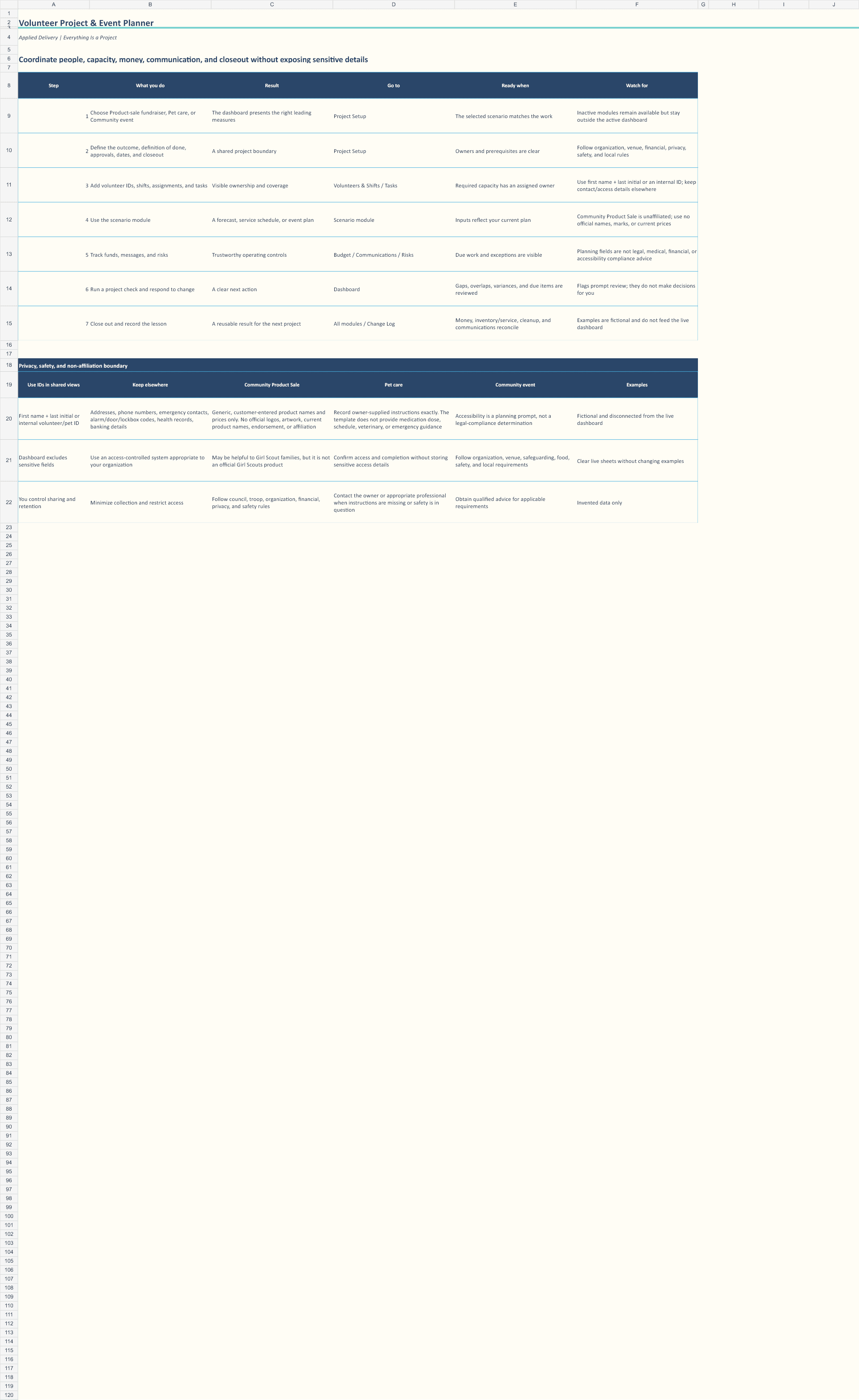
Follow the seven-step workflow with privacy, safety, and non-affiliation boundaries.

Separate required shifts from assignments and make coverage gaps visible.
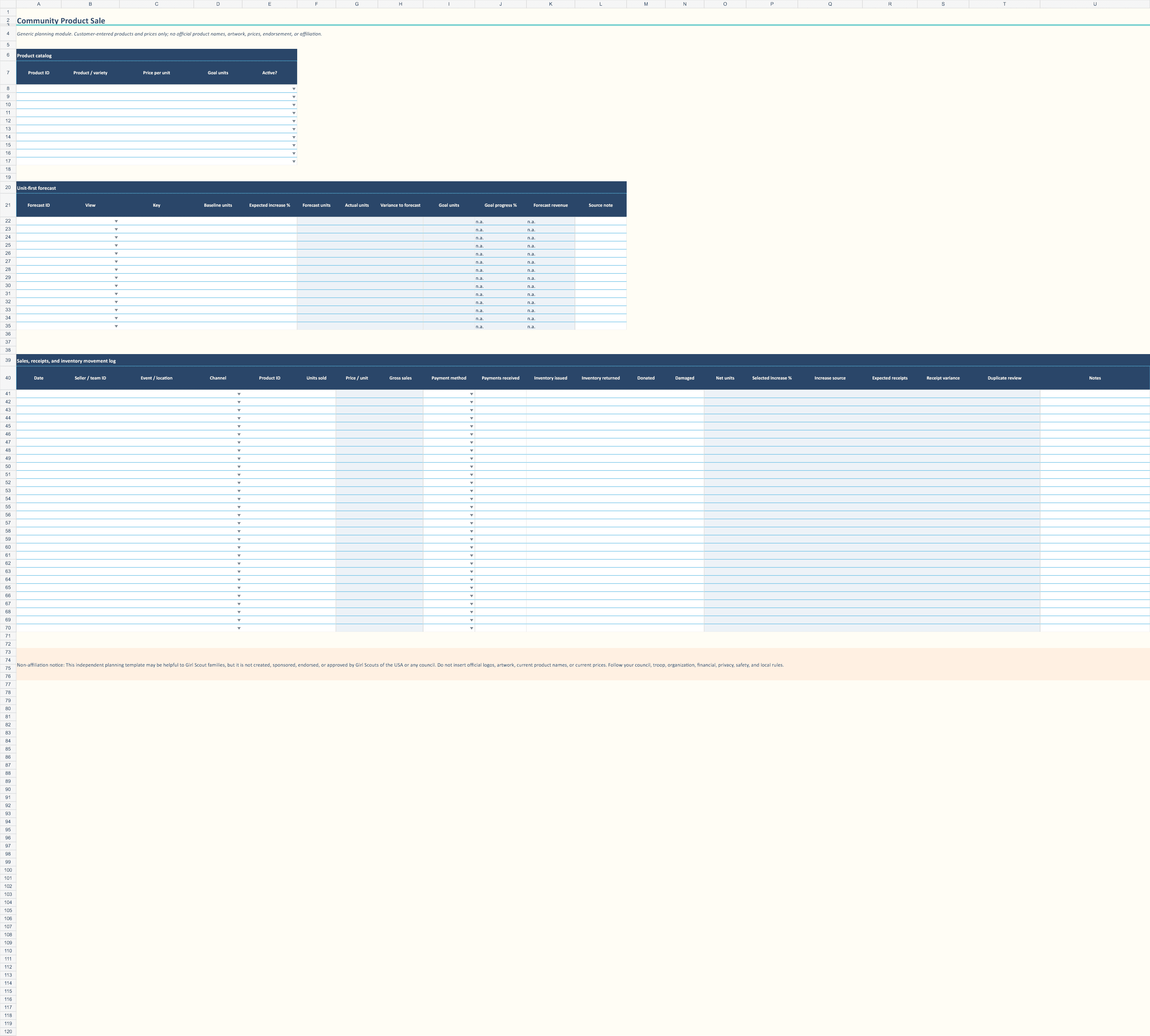
Forecast units first and keep sales, receipts, and inventory controls separate.
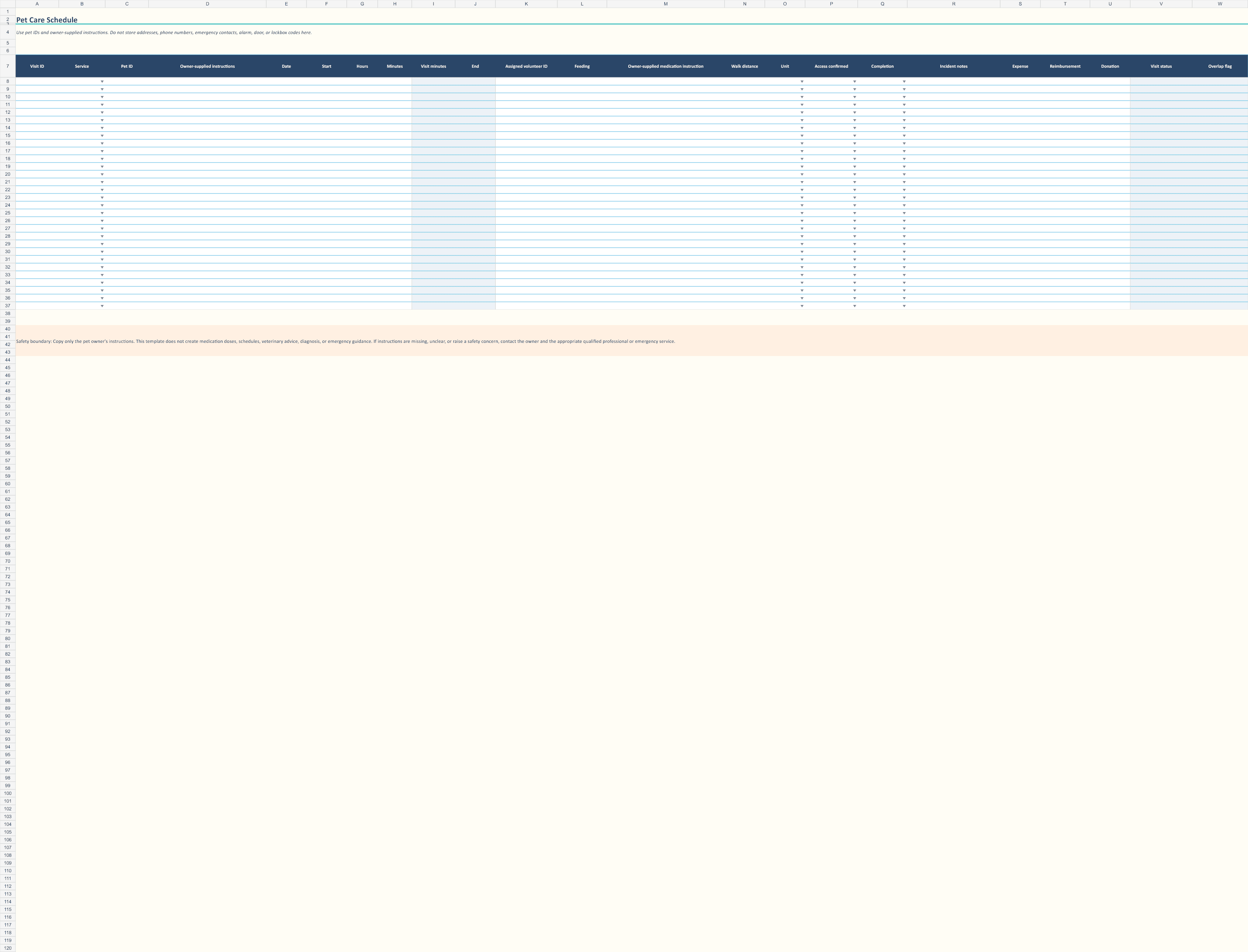
Coordinate pet-care visits while keeping sensitive access information out of the workbook.
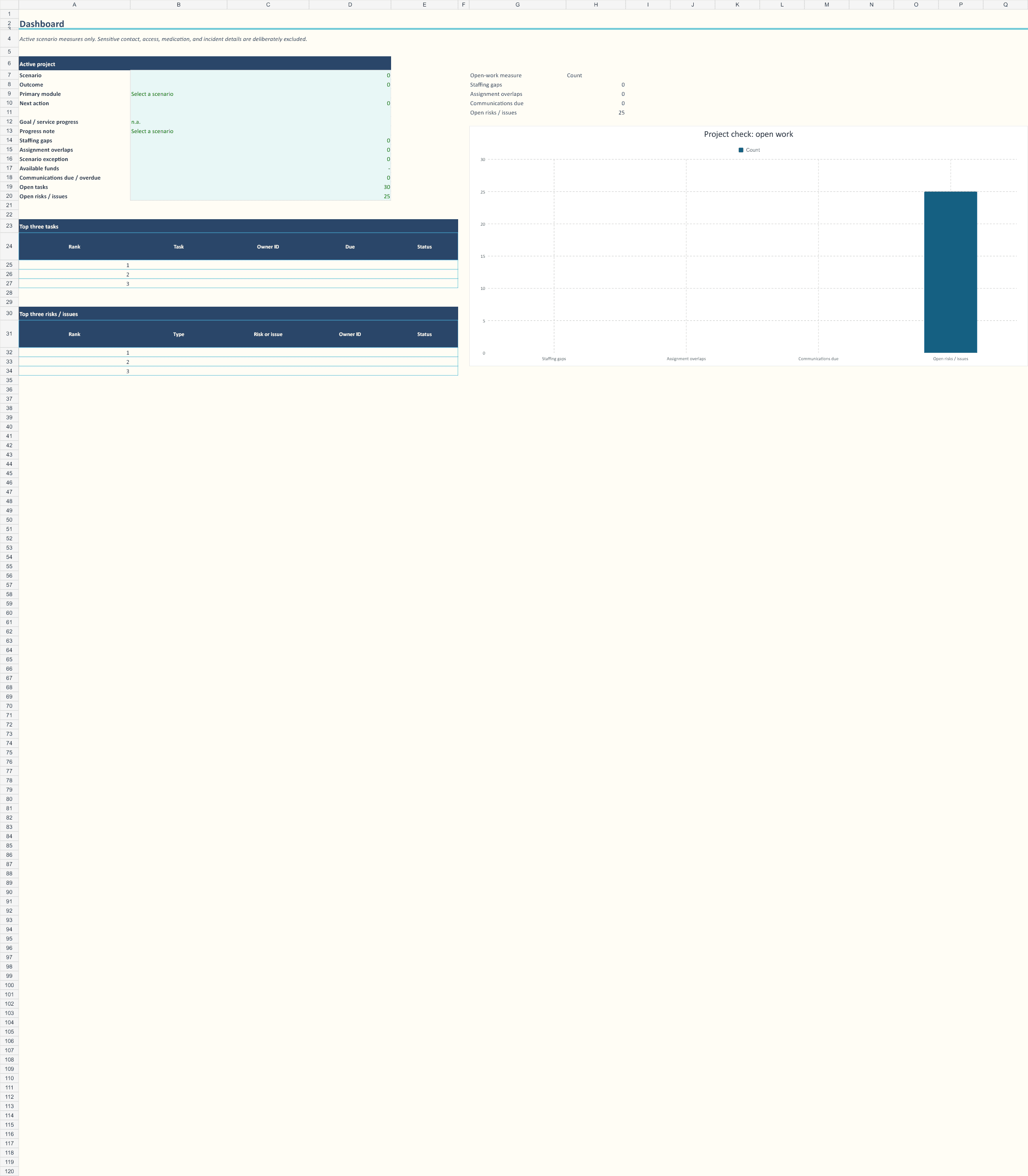
Switch the dashboard among three scenarios while retaining shared controls.
Price
$27 · One-time purchase
Buy the Volunteer Project & Event Planner for $27
License and delivery
One purchaser may use and modify the files for personal use or internal use within one business or organization. The files may not be resold, shared, sublicensed, or redistributed. SendOwl delivers the Excel workbook, editable Word guide, finished PDF guide, and license notice immediately after checkout.
Support
For delivery problems or reasonable questions about the product’s intended features, contact david@applieddelivery.com. Support does not include custom spreadsheet development or professional advice.
Important limits
This template is a planning aid—not legal, medical, veterinary, financial, accounting, tax, privacy, safeguarding, food-safety, accessibility, insurance, employment, or emergency advice. It does not guarantee coverage, sales, attendance, safety, compliance, funding, or successful delivery.
Move from everyone is helping to a visible delivery plan.
Buy the Volunteer Project & Event Planner for $27
Refund policy
Because this is a digital product delivered immediately, all sales are final once access has been provided, except for duplicate purchases, corrupted or inaccessible files, or where a refund is required by applicable law. Contact david@applieddelivery.com within 14 days of purchase for help.